📱
One report, two platforms
Author a single .frp and deploy it to Windows desktop and Android apps without changes. No platform-specific formats, no parallel maintenance.
One human-readable report file — design it once, render it everywhere.
// From your dataset to a PDF — pure Delphi:
ReportEngine1.SetVariable('Company', 'Acme Trading Co.');
ReportEngine1.SetDataSource('customers', QryCustomers);

ReportEngine1.ExportPDF('invoice.frp', 'invoice.pdf');  // vector PDF
ReportEngine1.Preview('invoice.frp');                   // paged preview
ReportEngine1.PrintReport('invoice.frp'); // default printerFmxPdfTools is a complete banded report generator & PDF engine written 100% in Delphi on FireMonkey. Design once in the visual editor and render true vector PDFs — selectable text, live barcodes & QR, master/detail data — with no DLLs, no GhostScript, no print server.
A full reporting stack — engine, designer and PDF producer — in a single Delphi package.
Author a single .frp and deploy it to Windows desktop and Android apps without changes. No platform-specific formats, no parallel maintenance.
Real vector primitives with embedded fonts — text stays selectable, searchable and crisp at any zoom, barcodes stay scannable, files stay small.
No GhostScript, no Acrobat, no PDF driver, no reporting server, no native DLLs. Everything compiles into your executable. Deployment is trivial.
A full WYSIWYG editor ships with the component: drag & drop, property inspector, snap guides, live preview — in 6 languages. Ship it to your users too.
Master/Detail/Sub-detail (3-level), multi-level grouping, aggregates (SUM/AVG/COUNT/MIN/MAX), auto-growing data-bound tables with automatic page breaks.
Labels, fields, shapes, RTF rich-text memos, images, barcodes (Code 128/39, EAN, UPC, ITF), QR codes, tables and flowing sub-reports — all in the box.
Inline [expressions] with 30+ math, string, date, conditional & aggregate functions, report variables {Name} and system tokens like [PageNo].
Smart printer logic: embed a printer in the report, override per call, and fall back to the default if the requested printer is missing.
Page-by-page, scrollable and zoomable preview that renders only visible pages — even huge reports open instantly — with Print and Save-as-PDF.
Install the package and the FmxPdfTools tab appears in the IDE.
TReportEngineThe heart of the product. Loads .frp reports, binds data & variables, and renders to PDF, on-screen preview or printer. This is the component you script against.
TPDFDrawingThe Android PDF rendering back-end, built on Android's native JPdfDocument. Drop one on the form and assign it to ReportEngine.PDFDrawing for mobile.
TRptDataSetA design-time data-binding helper. Point it at any TFDQuery/TDataSet, name it, and the engine auto-discovers it — the designer sees your fields.
The same .frp drives every column.
| Capability | Windows | macOS / Linux | Android |
|---|---|---|---|
Vector PDF export (ExportPDF) | ✓ | ✓ | ✓ |
PDF via ShowReport / ShowReports | ✓ | ✓ | ✓ |
On-screen paged preview (Preview) | ✓ | ✓ | — |
Direct printing (PrintReport) | ✓ | ✓ | — |
Visual designer (OpenDesigner) | ✓ | — | — |
On Android, reports are produced as PDF (then shared / opened / printed through the OS) via the native JPdfDocument back-end.
Clean, scriptable API. Reports are human-readable JSON (.frp) — diff- and version-control-friendly.
ReportEngine1.SetVariable('Company', 'Acme Trading Co.');
ReportEngine1.SetDataSource('customers', QryCustomers);

ReportEngine1.Preview('customers.frp');                      // paged, zoomable
ReportEngine1.ExportPDF('customers.frp', 'cust.pdf');        // vector PDF
ReportEngine1.PrintReport('customers.frp', 'HP LaserJet 1020');
ReportEngine1.PDFDrawing := PDFDrawing1; // Android back-end
ReportEngine1.SetDataSource('customers', FDQuery1);
ReportEngine1.ShowReport('customers.frp',
TPath.Combine(TPath.GetDocumentsPath, 'customers.pdf'));// Cover + summary + detail merged into one document
ReportEngine1.ExportPDF(
TArray<string>.Create('cover.frp', 'summary.frp', 'detail.frp'),
'quarterly_pack.pdf');Professional WYSIWYG editing. Design reports without a single line of code, then ship the designer to your end-users too.
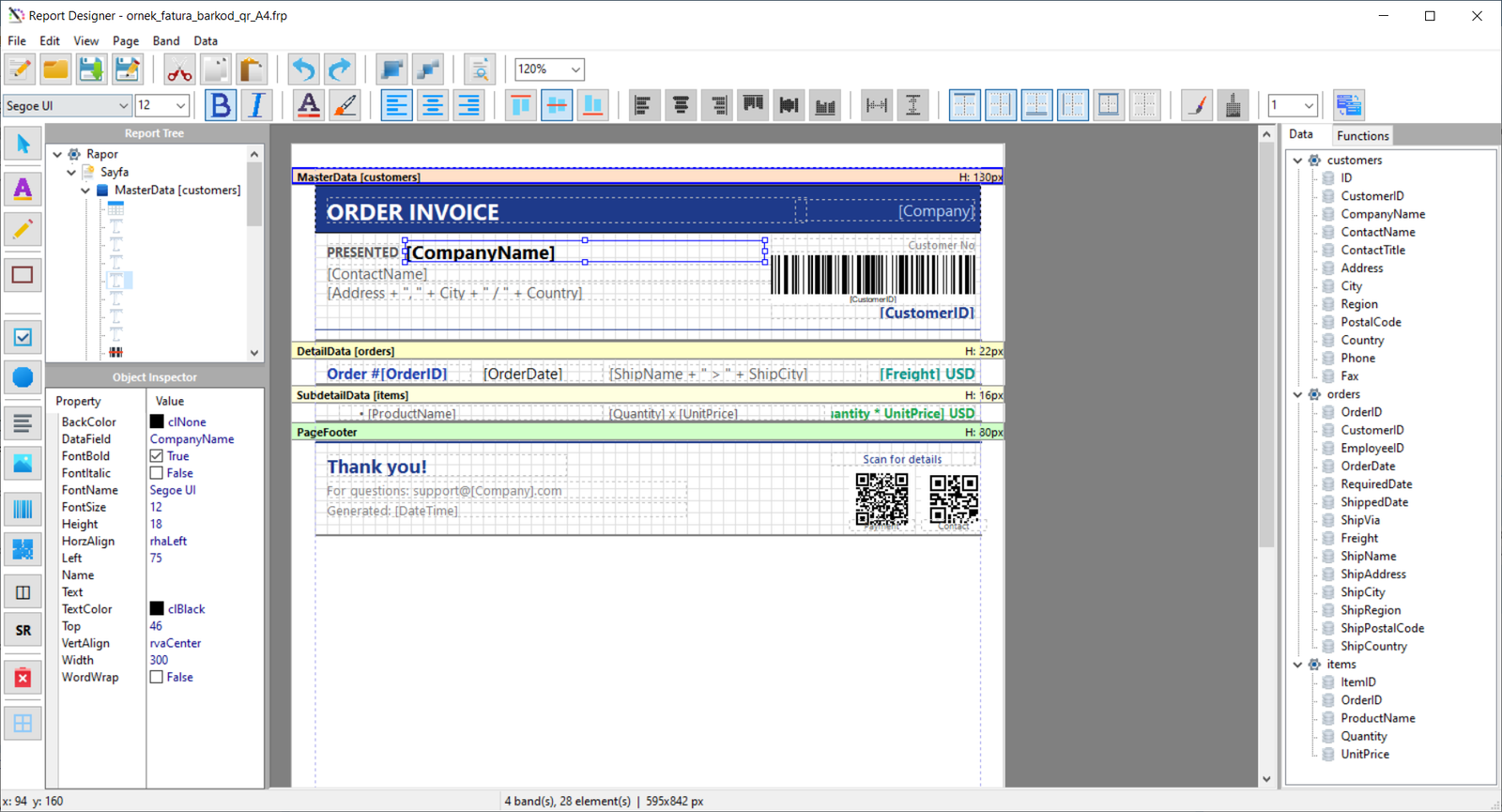
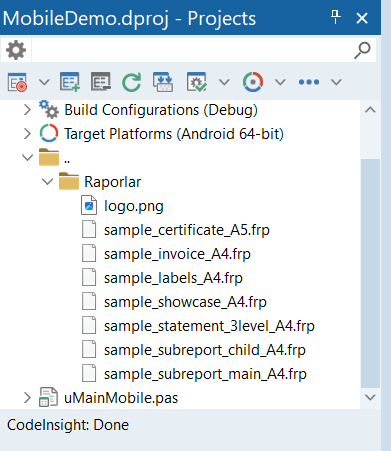
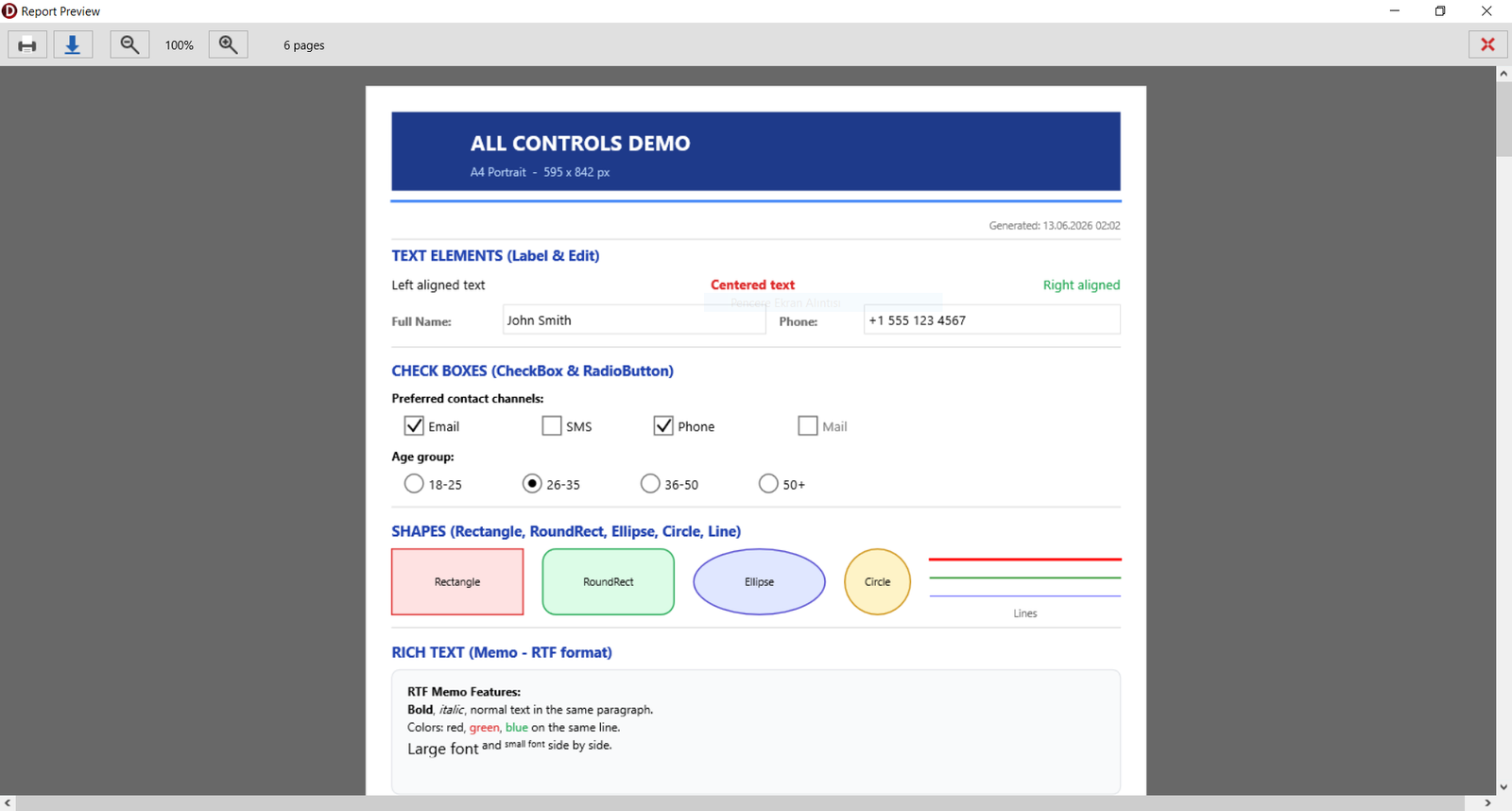
Call ReportEngine.OpenDesigner('report.frp', Self). Passing your form lets the engine publish your TRptDataSet fields straight into the Data Tree.
Choose page size, margins and grid, then add the bands you need — Title, Page Header/Footer, Master/Detail/Sub-detail, Group Header/Footer and Summary.
Drag labels, tables, images, barcodes, QR codes and RTF memos from the palette. Drag a field from the Data Tree onto a band to bind it, or type [Field] directly.
Use [expressions] and aggregates like [SUM(Total)], set a GroupCondition for grouping, and place group totals in the Group Footer.
Hit Preview to check it live, save the .frp, and render from your app with ExportPDF, Preview, PrintReport or ShowReport (Android).
Full source code included. No subscriptions, no per-app royalties.
One-time payment - full source code - 1 year of updates
TReportEngine, TPDFDrawing, TRptDataSetPay with USDT — TRC20 or ERC20
Pay in USDT, fill the form, and the full source code is emailed to you — usually within 24 hours.
Amount: 25 USDT
Choose your network:
The complete Delphi source code of FmxPdfTools — the report engine, the PDF drawing layer, the dataset component and the visual designer. No DCU-only units, nothing hidden: you can compile, study and adapt everything for your own projects.
Recent FireMonkey-capable Delphi releases (Delphi 11 Alexandria, 12 Athens and 13 Florence). The package installs onto the IDE with the included installer.
No. The runtime is royalty-free — distribute as many applications as you like with no per-copy fees.
Payment is in USDT on the TRC20 or ERC20 network — choose the one you prefer on the order form. Send the amount to the address shown, fill in the form with your transaction hash, and we email you the full source code after the on-chain confirmation.
None. No GhostScript, Acrobat, PDF printer driver or native DLLs. Everything is compiled into your executable.
Yes. The visual designer ships with the component and can be distributed to your users, so they can tweak reports without any code.
Usually within 24 hours of payment confirmation. You'll get an acknowledgement email immediately after submitting the form.